
An AI workflow is a process in which software uses an AI model for a defined task, such as classifying an enquiry or drafting a summary, and connects that task to the rest of a business process. The useful question is not how many agents you can create. It is whether a specific process becomes faster or more reliable without creating unacceptable errors.
This guide walks through a lead-intake example, but the same approach works for support triage, document preparation, and internal operations.
Start with a process, not a tool
Choose a task that happens often, has a clear starting point and has an outcome someone can check. Map what triggers it, what information is needed, who currently handles it and where it ends. Record exceptions too: missing contact details, duplicate records, urgent enquiries and requests that don’t fit an existing category.
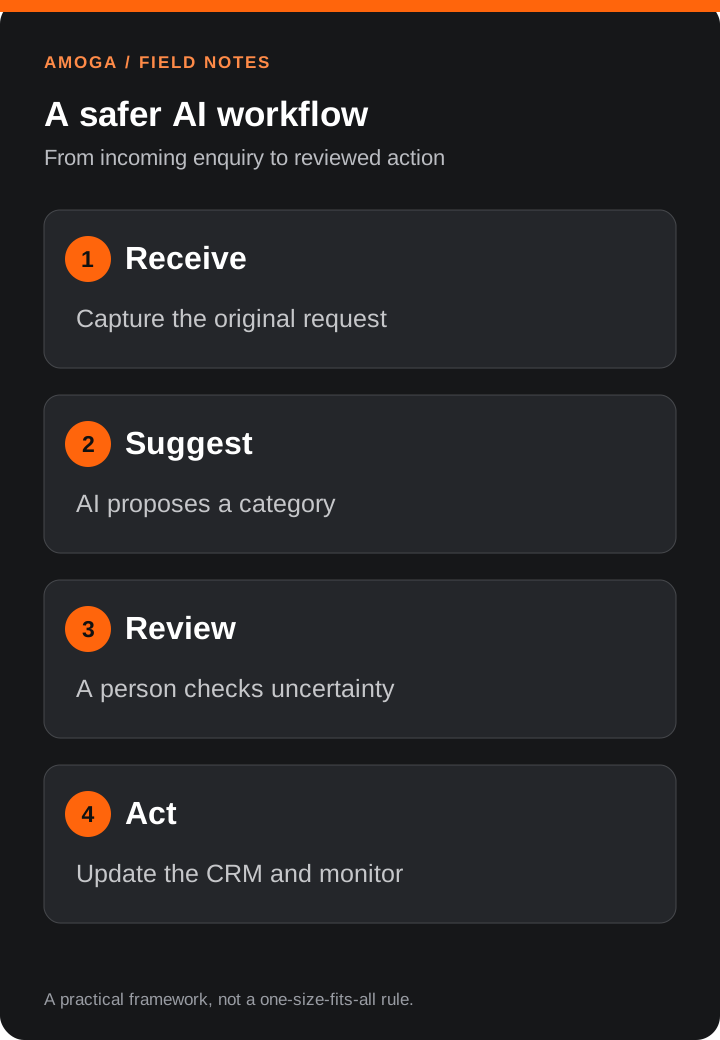
For example, an agency might receive enquiries through a form, copy details into a CRM, decide which service is relevant and notify the right person. An automation could create a draft CRM record and suggest a category. A person would still decide how to respond.
Measure the current process before changing it. Track volume, time spent per enquiry, time to first response and the number of records that need correction. A process that consumes five minutes once a month may not justify the cost of building and maintaining an integration.
Separate predictable rules from AI judgement
Use ordinary code or workflow rules for steps that have a clear answer: checking whether a required field is present, creating a record, or routing a message to a known inbox. Use a model where the input is variable and a useful answer is less rigid, such as summarising a free-text request.
| Step | Suitable approach | Check |
|---|---|---|
| Validate an email field | Form validation | Reject missing or malformed values |
| Identify a likely service | Model suggests a category | Show the source text and allow correction |
| Create a CRM record | API integration | Check for duplicates and log failures |
| Send a proposal | Human approval | Review scope, price and recipient |
A model’s output is a suggestion, not proof. It can misunderstand a short brief, invent details or produce inconsistent classifications. Build for those failures rather than assuming the model will always be correct.
Design the information flow
Write down the input and output for each step. For lead intake, the input might be the submitted form and a list of service categories. The output could be a category, a brief explanation and an “uncertain” flag. Keep the original submission alongside the result so a reviewer can see what the suggestion was based on.
Decide which system is the source of truth. If both a form tool and a CRM can change the same contact, specify which update wins and what happens when an update fails. Use unique submission IDs and retries carefully so a temporary outage does not create duplicate records.
Only send information the task needs. Review the model provider’s data handling and your own contractual and privacy obligations before sending customer information to an external service. Restrict access to logs and set an appropriate retention period.
Put human review at the right points
Human review is especially useful when an action is customer-facing, expensive, irreversible or affects sensitive information. A workflow might automatically label a lead while requiring approval before sending an email or changing a deal value.
Make review easy: show the input, the proposed action and the reason for any uncertainty. Provide a clear approve, edit or reject option. If nobody responds within a defined period, route the item to a named owner rather than letting it disappear into a queue.
Test with real examples before launch
Collect a representative set of past enquiries, removing or masking personal information where appropriate. Include straightforward requests, ambiguous messages, spam, multiple service requests and missing fields. Ask the people who handle the work to label the expected outcome.
Run the workflow against the examples and record incorrect classifications, missing information and failed integrations. Then test what happens when the CRM is unavailable or the model returns an unexpected response. A successful test includes recovery: the original enquiry is retained, someone is notified and the item can be retried safely.
Begin in a shadow mode where staff continue the existing process and compare it with the automation’s suggestions. Move to a limited rollout only when the results are useful and the team knows how to intervene.
Measure results after rollout
Compare the new workflow with the baseline over a meaningful period. Useful measures include:
- Time saved: minutes of staff work per completed enquiry, including review and corrections.
- Quality: the proportion of suggestions that required a significant correction.
- Reliability: failed or duplicated records and the time taken to recover them.
- Business outcome: response time and qualified conversations, without assuming automation alone caused a change.
- Operating cost: integration maintenance, model usage, monitoring and staff review.
Review samples regularly. If the team changes its service categories or form questions, retest the workflow. An automation that saved time at launch can become a source of extra work if no one owns it.
When a custom workflow makes sense
A simple native integration may be enough when the process is stable and your tools already connect. Custom software becomes more useful when several systems need coordinated updates, you need specialised permissions, or existing tools cannot handle important exceptions. Start small, then expand only after the first process proves its value.
Explore our AI workflow services and custom software development for help assessing a process.