Two apps. Less chasing.
More getting things done.
Publish campaigns and manage your agency with two apps built for B2B teams.
Made for the way agencies work ↗
Start with your client’s HTML.
Upload the page, then change text, images and spacing in the visual editor.
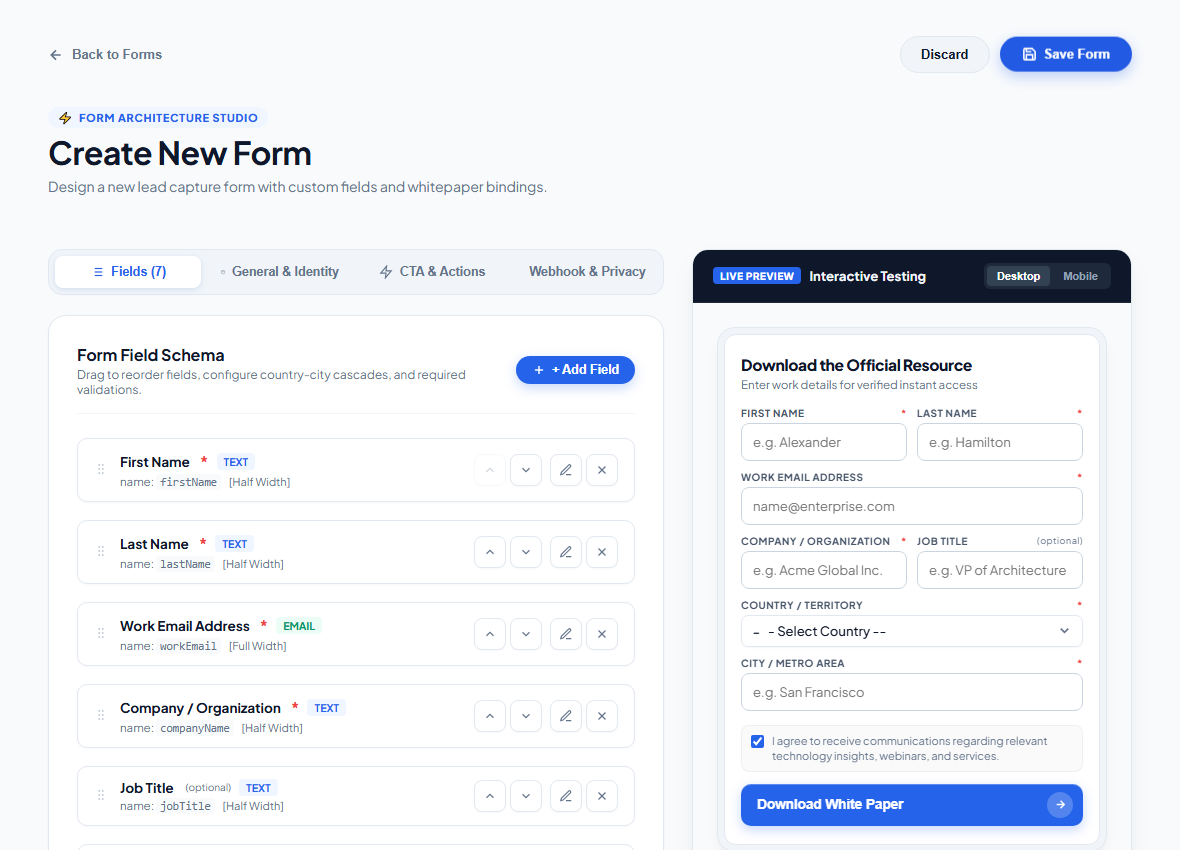
Forms are ready to collect enquiries.
The app detects the form and sets up a place to save its submissions.
Give each teammate a clear target.
Managers assign campaign work. Employees can see their targets and submissions.
Keep duplicate leads out.
Upload leads directly or from a spreadsheet. Duplicate entries are checked before they are added.
A lot of work.
Too many places to manage it.
Client pages in WordPress. Forms that need setting up. Leads in spreadsheets. Managers chasing updates while the owner tries to see the whole picture.
We built these apps around the day-to-day work of B2B agencies, so your team can spend less time piecing everything together.
Your campaign work,
in one place.
From a client's HTML file to a live page that captures enquiries, keep the moving parts of your campaigns together.
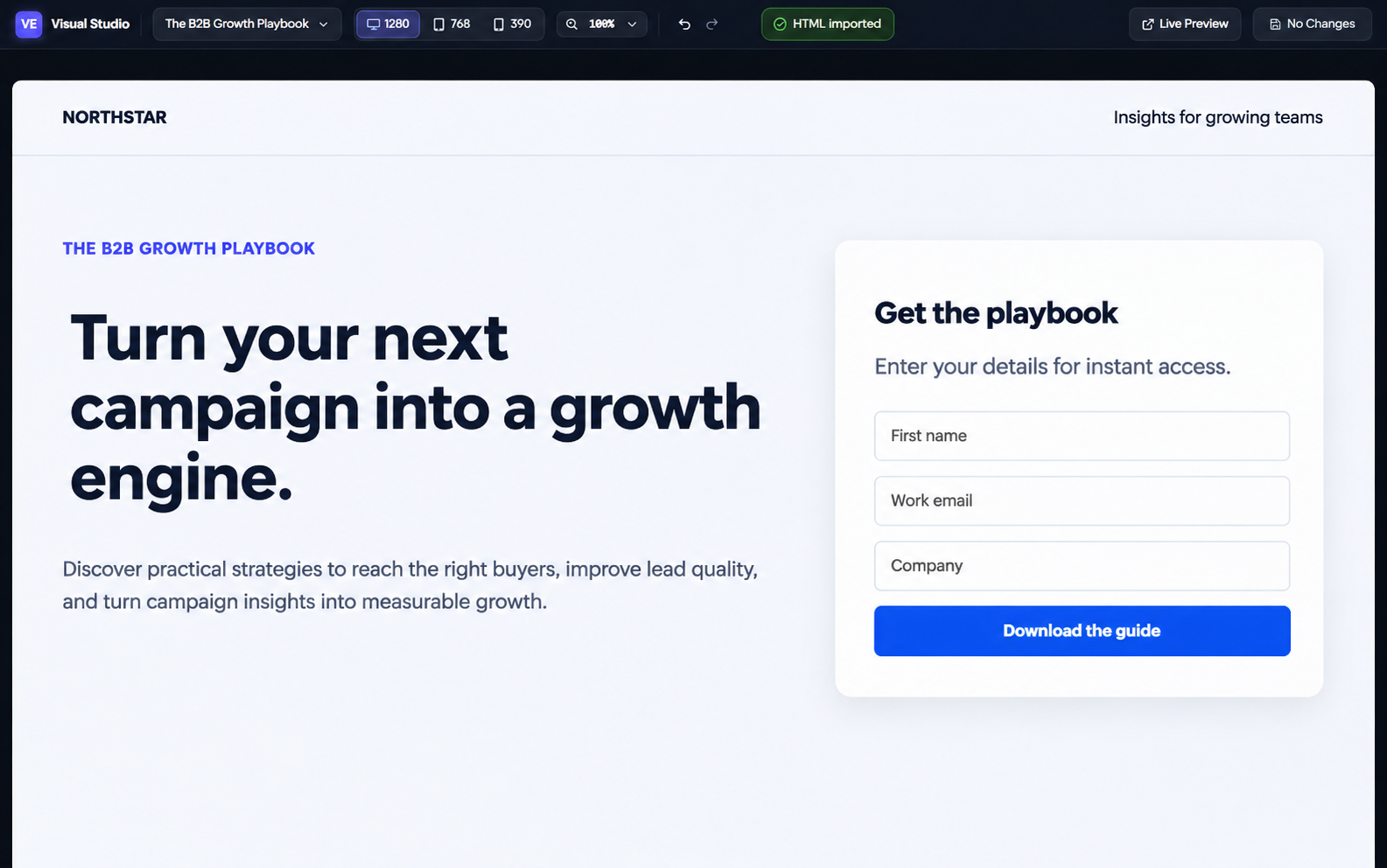
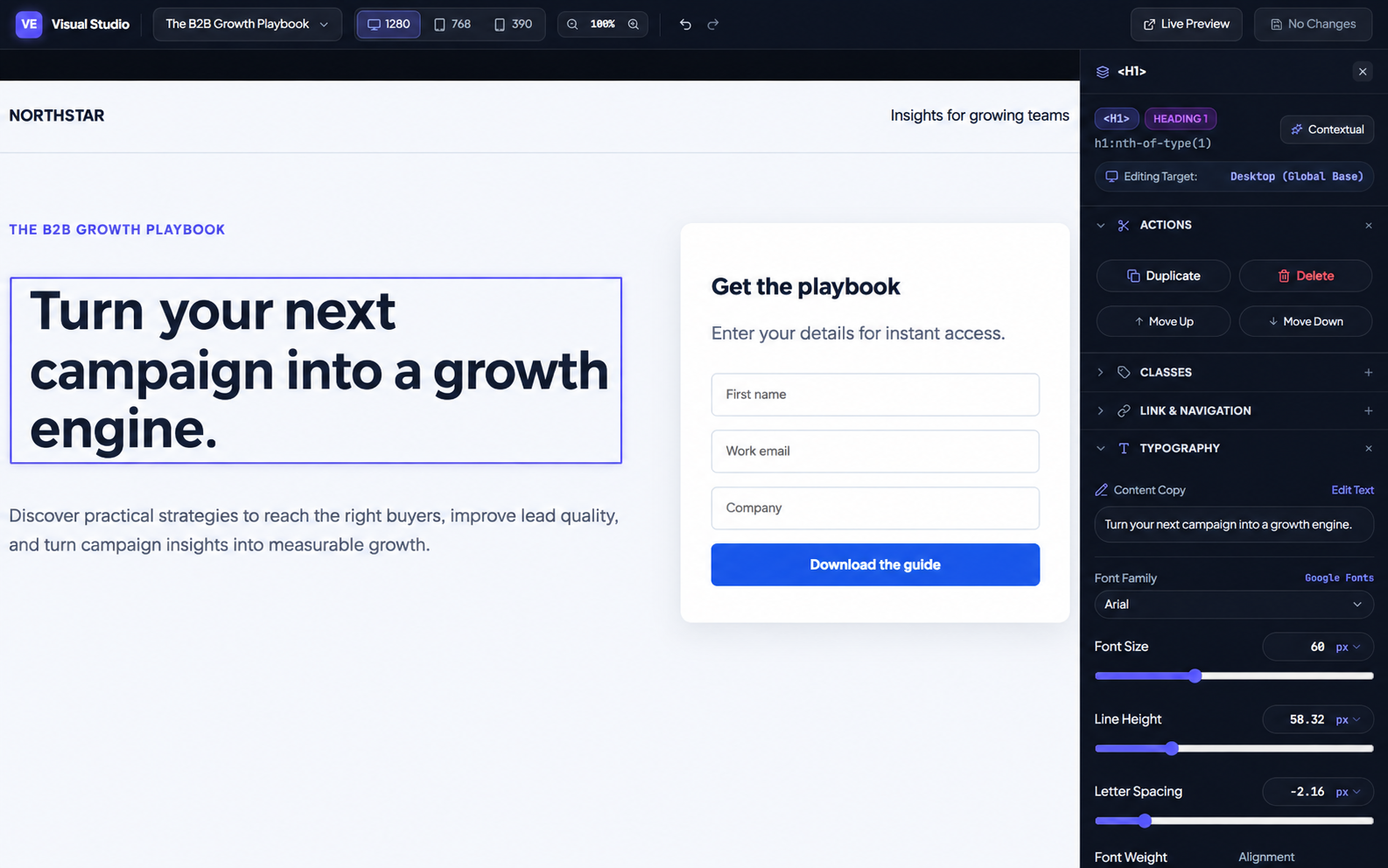
- Create or upload a whitepaper
- Create and connect a form
- Publish and capture leads
What your publishing team can do
For agencies managing client landing pages, content and lead capture.
Client landing pages
Upload client-provided HTML, preview the page and manage campaign content in one workspace.
Visual page editing
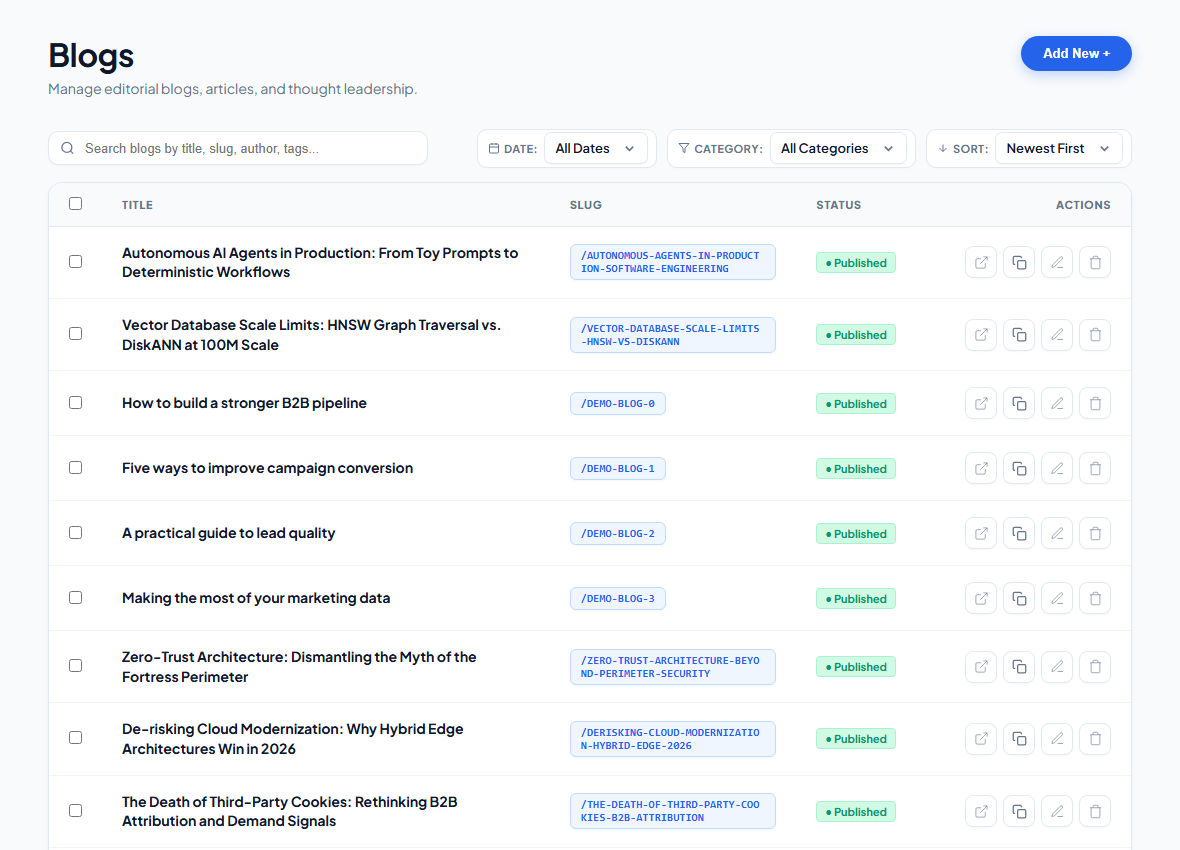
Select elements to update text, images, links, font sizes, margins and padding without editing the HTML by hand.
Forms and submissions
Detect forms in uploaded HTML or build custom forms, configure fields and review captured submissions.
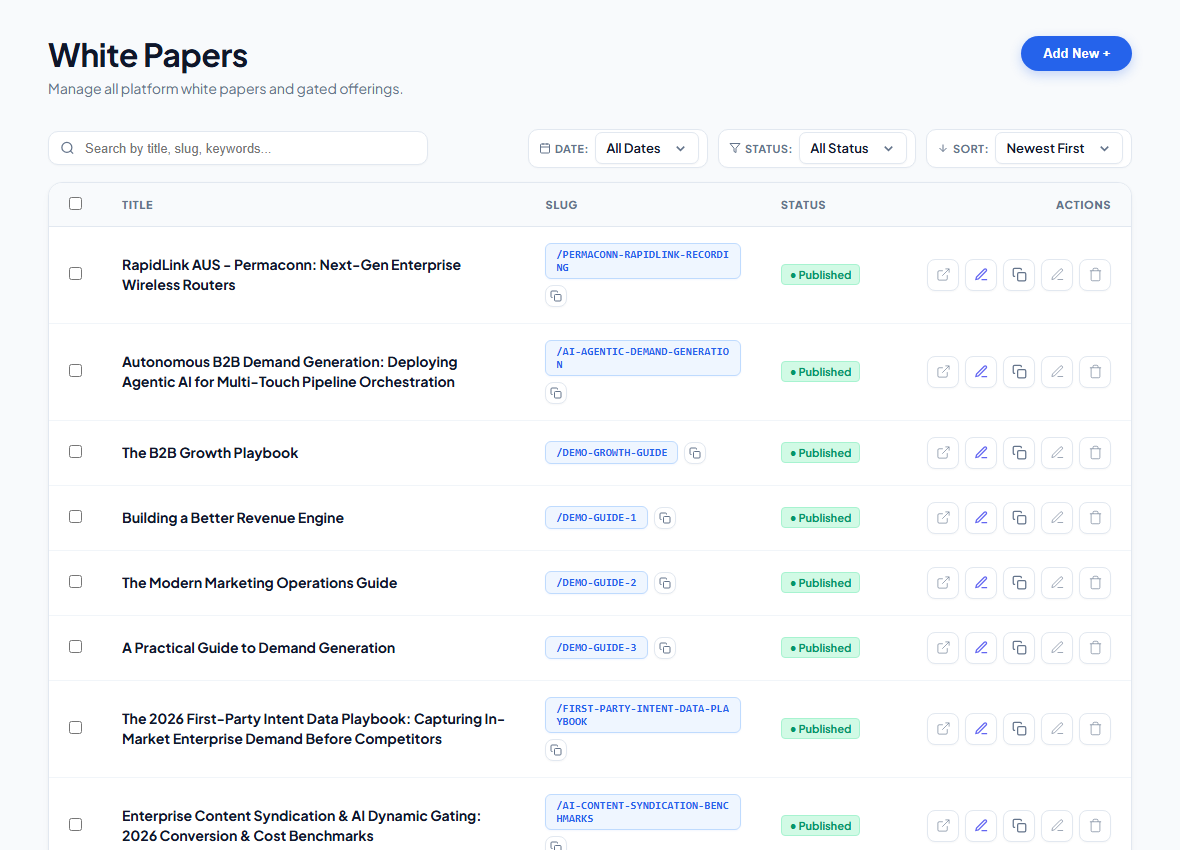
Whitepapers and gated content
Manage whitepaper pages and link forms to the resources visitors request.
Content and media
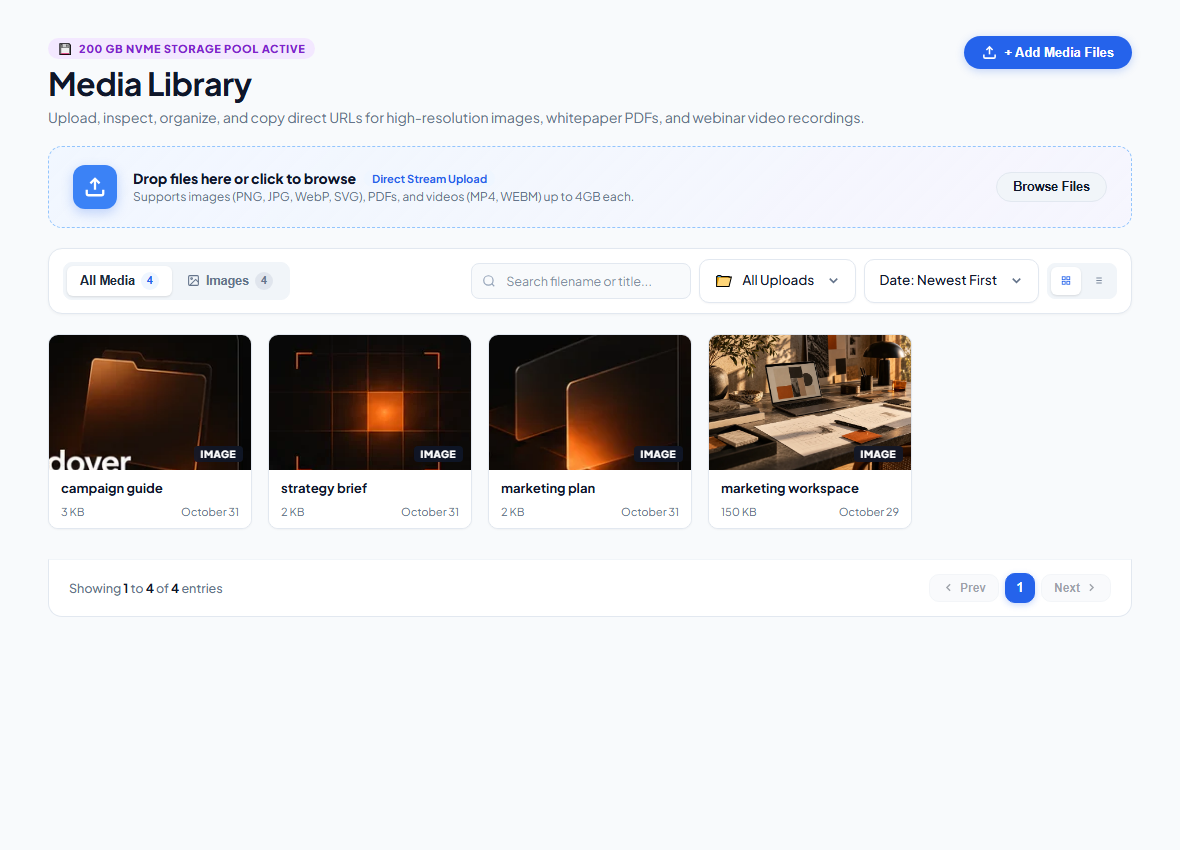
Manage blog content, images and other campaign assets alongside your pages.
Admin controls
Create, update and remove forms, media and whitepapers as client campaigns change.
Campaign content, organized for your team.
Manage your whitepapers, articles and media from the same workspace. Screens show a local demo with sample content.
Know what's happening
across your agency.
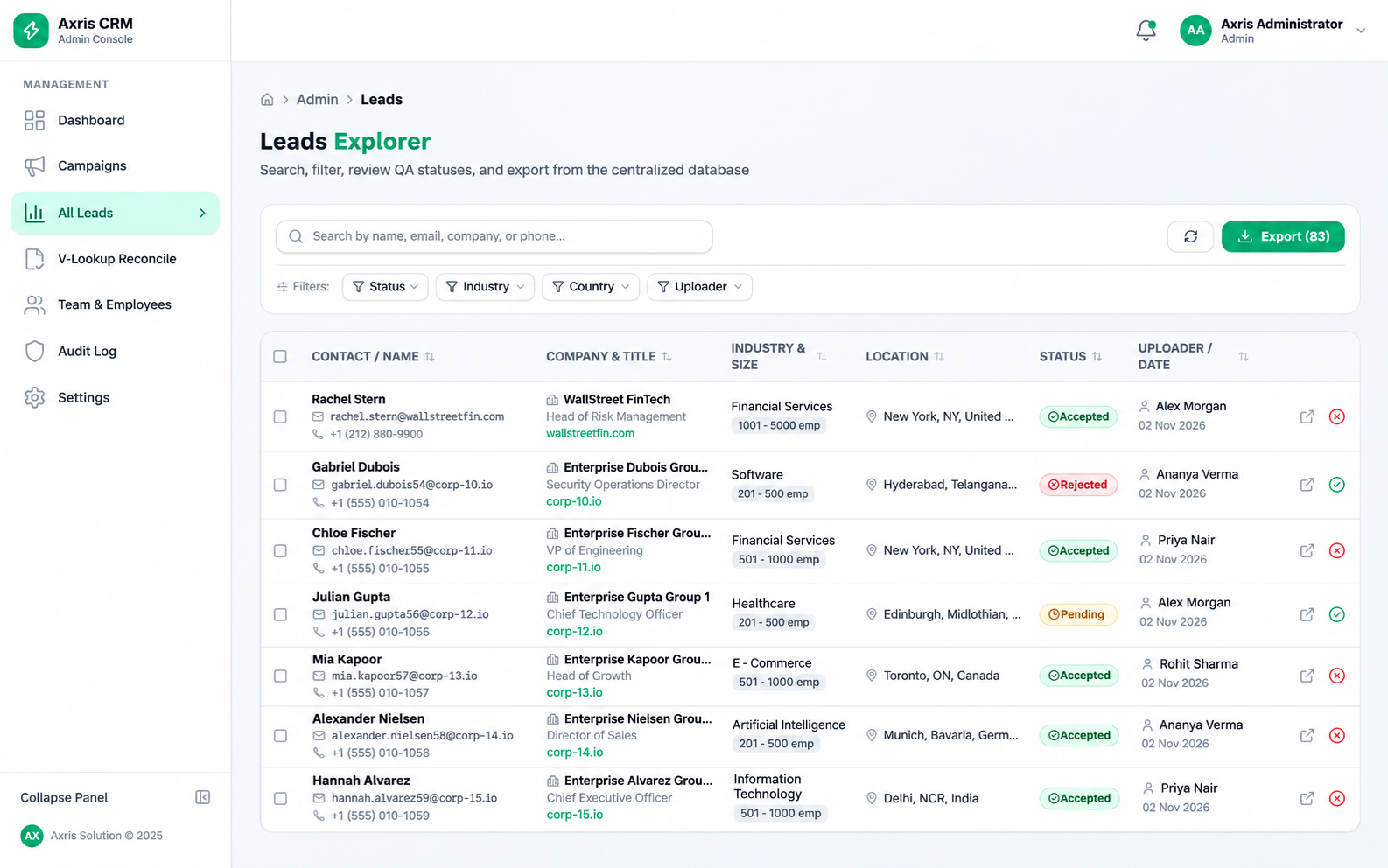
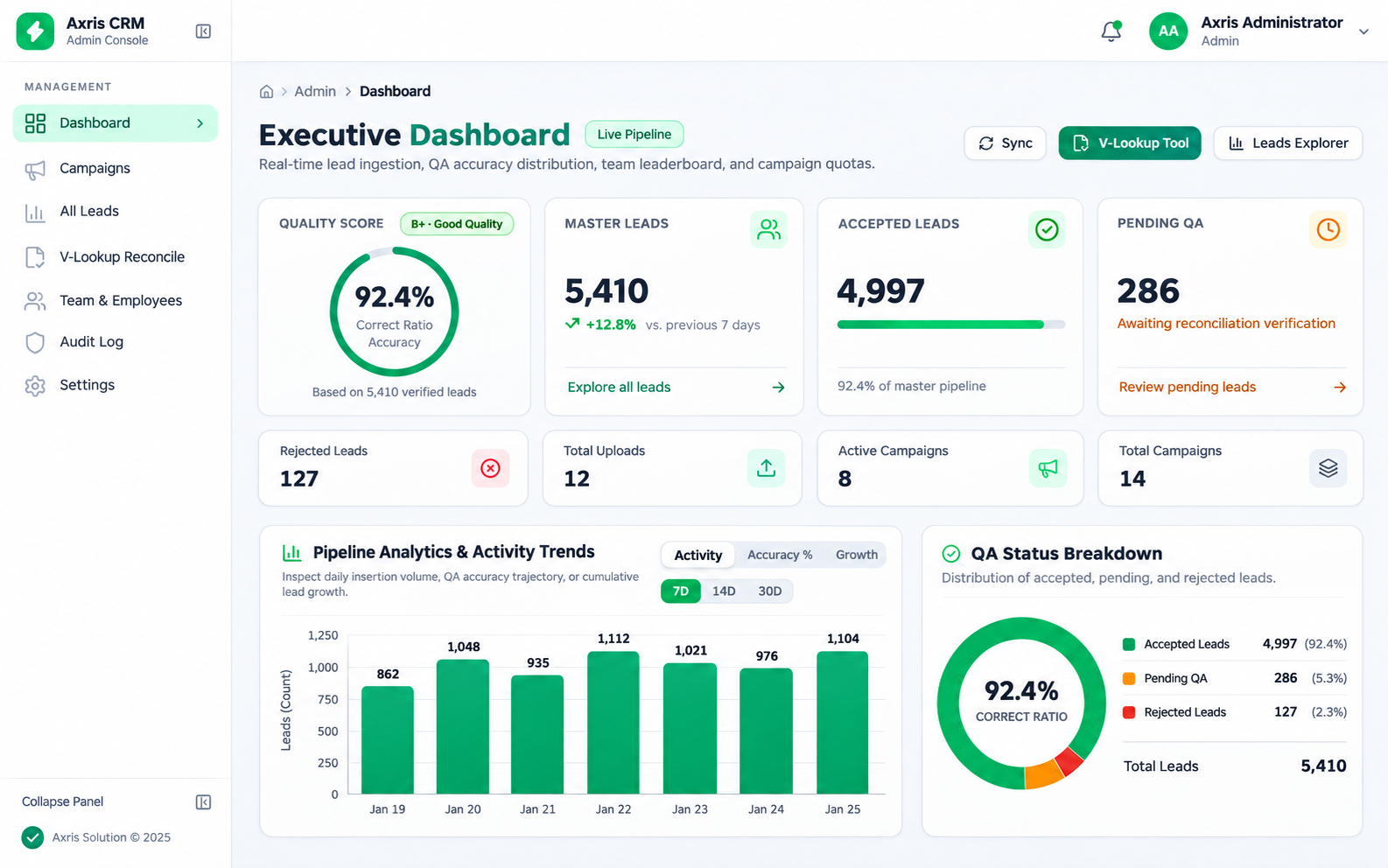
Give your team one place to submit leads, manage work, track sales, and see how campaigns are progressing.
What your agency can manage
For teams collecting leads and coordinating delivery across campaigns.
Campaigns and targets
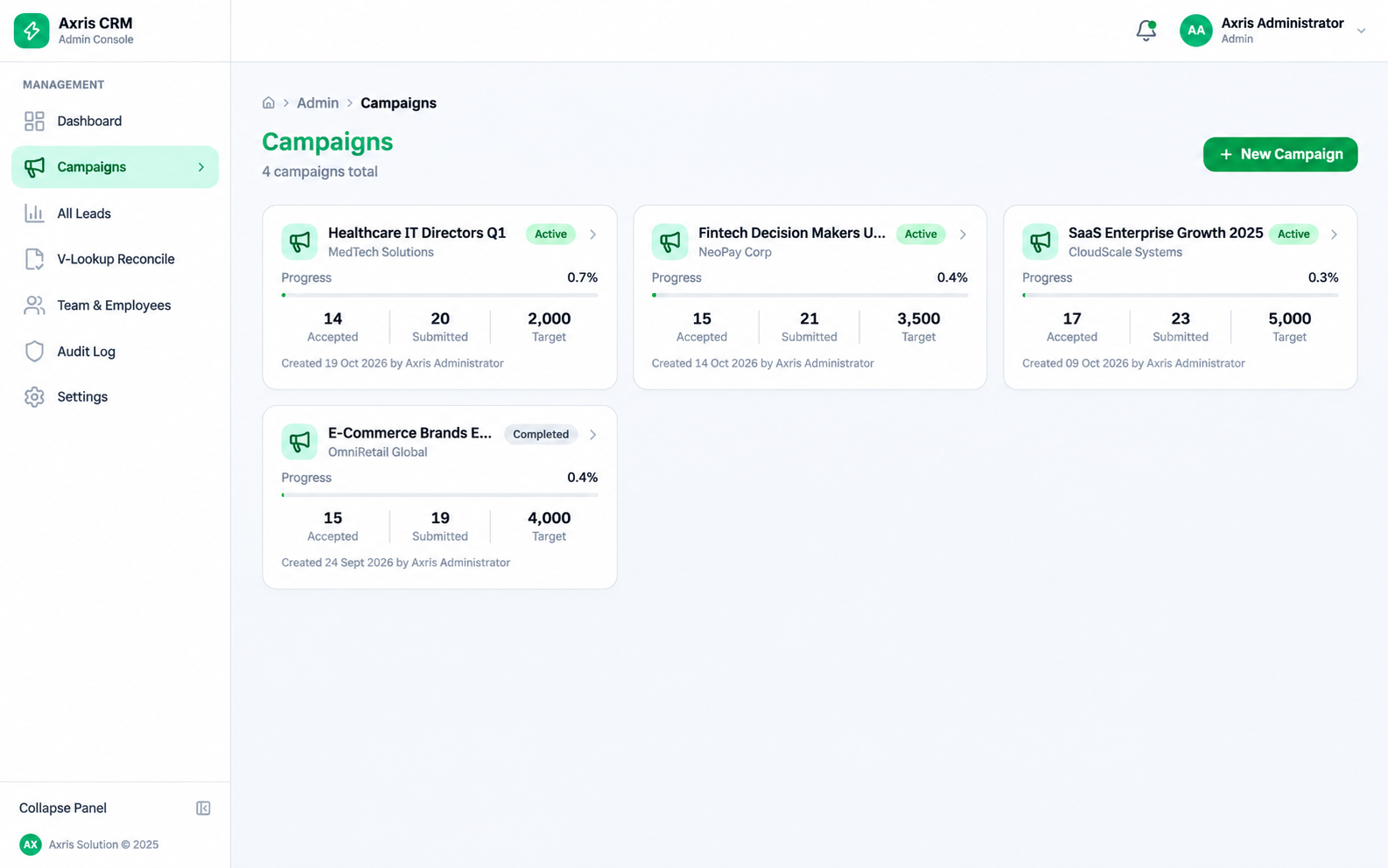
Organize lead delivery by campaign, assign work and track progress against lead targets.
Lead collection
Submit leads in the portal or upload CSV and Excel files rather than collecting separate spreadsheets.
Duplicate checks
Check incoming leads for duplicates when several employees are working on the same campaign.
Team access
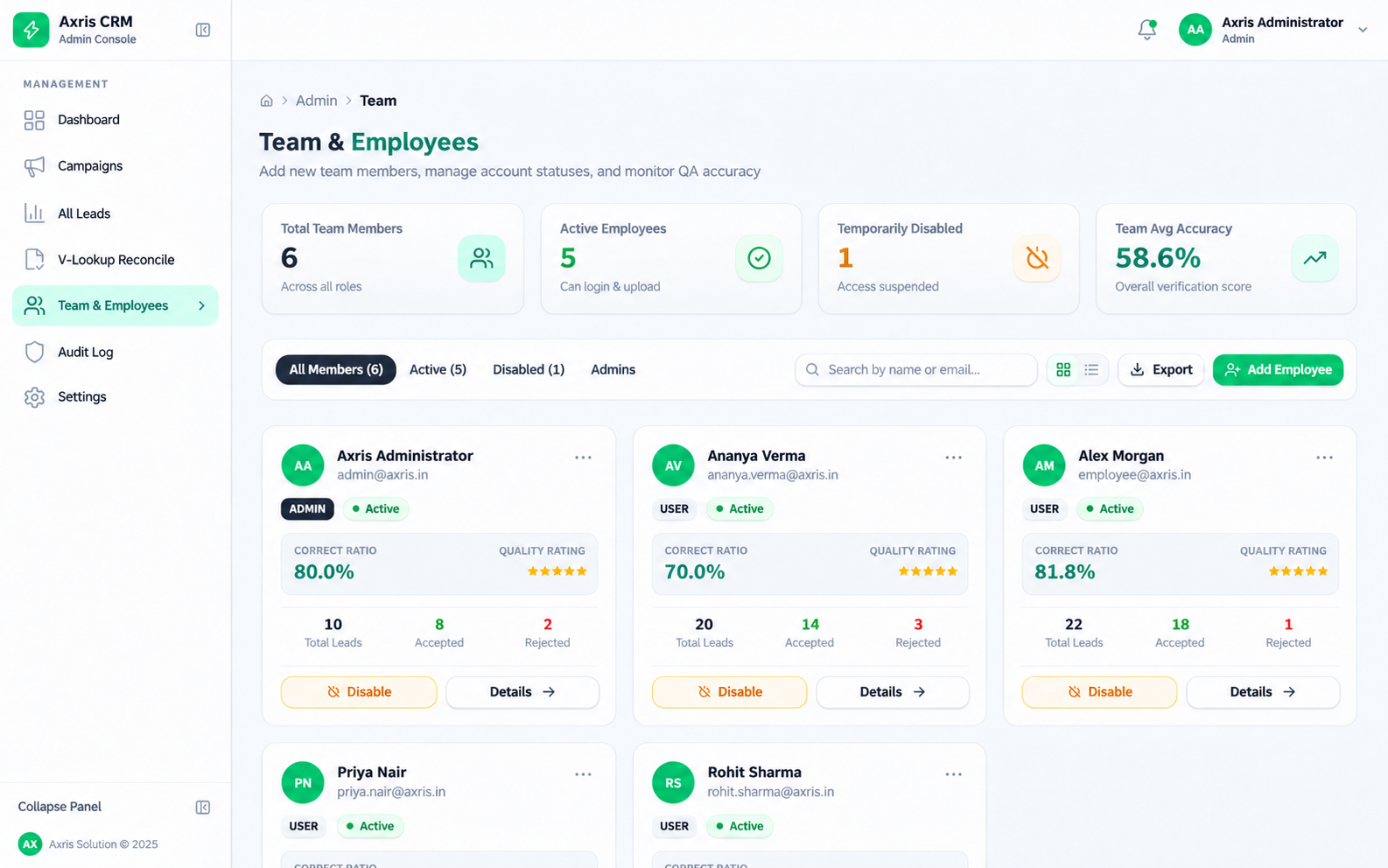
Give owners, managers and employees different views of the work relevant to their roles.
Reports and oversight
Review submissions and progress, with daily, weekly and monthly reporting for managers and owners.
Sales and finance
Discuss the sales and finance modules your team needs, including prospects, follow-ups, meeting notes and a view of completed work.
The right view for the right person.
Different people need different things. Each role gets a place to focus on their part of the work.
Owner
See the bigger picture: business activity, reports, and profits.
Manager
Assign teammates and targets, manage tasks, and share progress reports.
Employee
See assigned work, upload leads, and track personal submissions.
Role-based access helps you control who can see what. We'll talk through the setup your team needs.
Choose the app that fits your work.
Each app has a one-time setup fee and a monthly retainer. Tiers are tailored to different use cases; we'll quote your setup and plan after discussing your requirements.
Swipe to compare both apps →
| Compare | Campaign publishing | Agency management CRM |
|---|---|---|
| Best for | Publishing client pages and managing campaign content | Managing lead delivery, teams and agency activity |
| Core workflow | HTML pages, visual editing, forms, whitepapers and media | Campaigns, lead uploads, duplicate checks and team views |
| One-time setup | Quoted for your requirements | Quoted for your requirements |
| Ongoing | Monthly retainer; tier based on your needs | Monthly subscription retainer; tier based on your needs |
| What shapes your quote | Pages, content, users and the setup you need | Team size, campaigns, workflows and modules needed |
| Next step | Discuss publishing | Discuss the CRM |
Specific prices, limits and inclusions are confirmed in your proposal. Ask about either app or discuss both with us.
Questions? Let's clear them up.
Here's what you might want to know before taking a closer look.
The details matter →Can we upload a landing page our client already designed?
Yes. You can upload the HTML file your client provides, then use the visual editor to make changes to things like text, images, links, spacing, and font sizes.
How do forms on an uploaded page work?
The campaign app detects forms in uploaded HTML and sets up the backend to capture submissions. Form details are saved in the database, with a table created for each form.
Can we manage whitepapers, media, and blog content too?
Yes. The campaign app brings your landing pages, forms, whitepapers, media library, and blog content together. Admins can create, edit, and remove forms, media, and whitepapers.
Can our team upload leads from spreadsheets?
Yes. Employees can submit leads directly in the portal or upload a CSV or Excel file. The system checks for duplicate entries, including when multiple people are working on a campaign.
What can owners, managers, and employees see?
The agency management app has different levels of access. Owners can see a broader business overview, managers can assign work and report on progress, and employees can see their assigned work and lead submissions. We can walk through the access levels with you.
Can the agency app cover sales and finances?
We can discuss your needs for tracking prospects, follow-ups, meeting notes and financial activity. We'll confirm the modules available for your setup in your proposal.
Can we use just one of the apps?
Tell us which part of your workflow you want to improve. We'll walk you through the relevant app, answer your questions, and discuss the right setup and pricing for your agency.
How are the apps priced?
Each app has a one-time setup fee and a monthly retainer. We offer different tiers for different use cases and will discuss the right fit and pricing for your agency.
Can you help us move our existing content or data?
We can discuss your existing HTML pages, content and spreadsheets as part of the setup. The migration work and any associated costs will depend on what you need to move and will be covered in your proposal.
What about hosting, support and data ownership?
We'll discuss your hosting, support and data requirements before agreeing the scope. Your proposal should specify the arrangements, ongoing inclusions and any additional costs for your setup.
Want to see how it works?
Tell us how your team works and where things get messy. We'll show you the relevant app and talk through the setup and pricing.
Talk to us